Tour
See how it works
The public pages show the curriculum. The program workflow — the part a program director is actually buying — lives behind login. Here it is, screen by screen, in the order a module moves through it.
1 · The resident learns
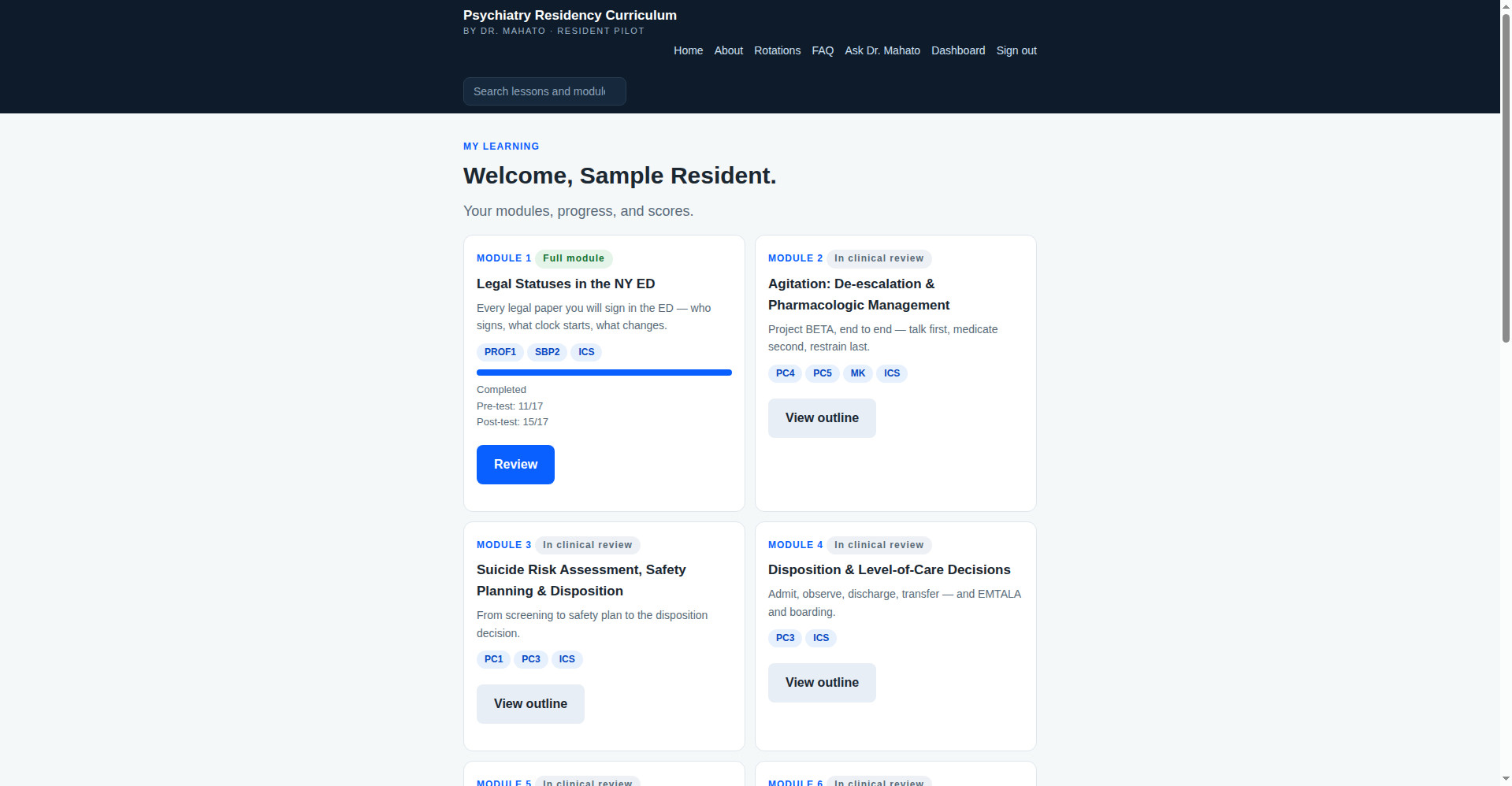
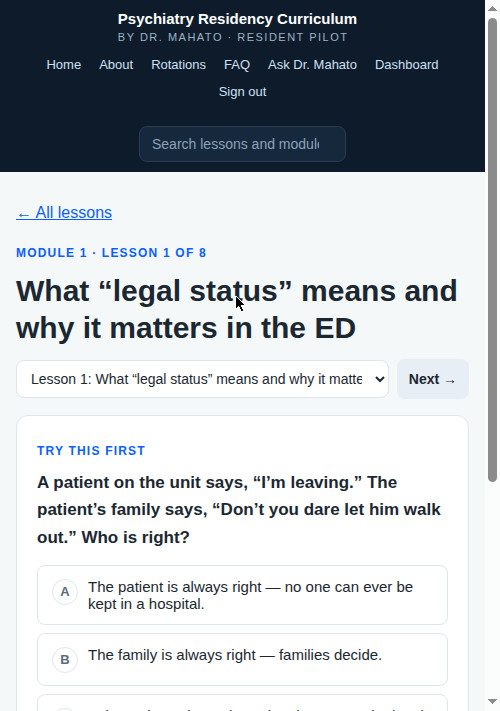
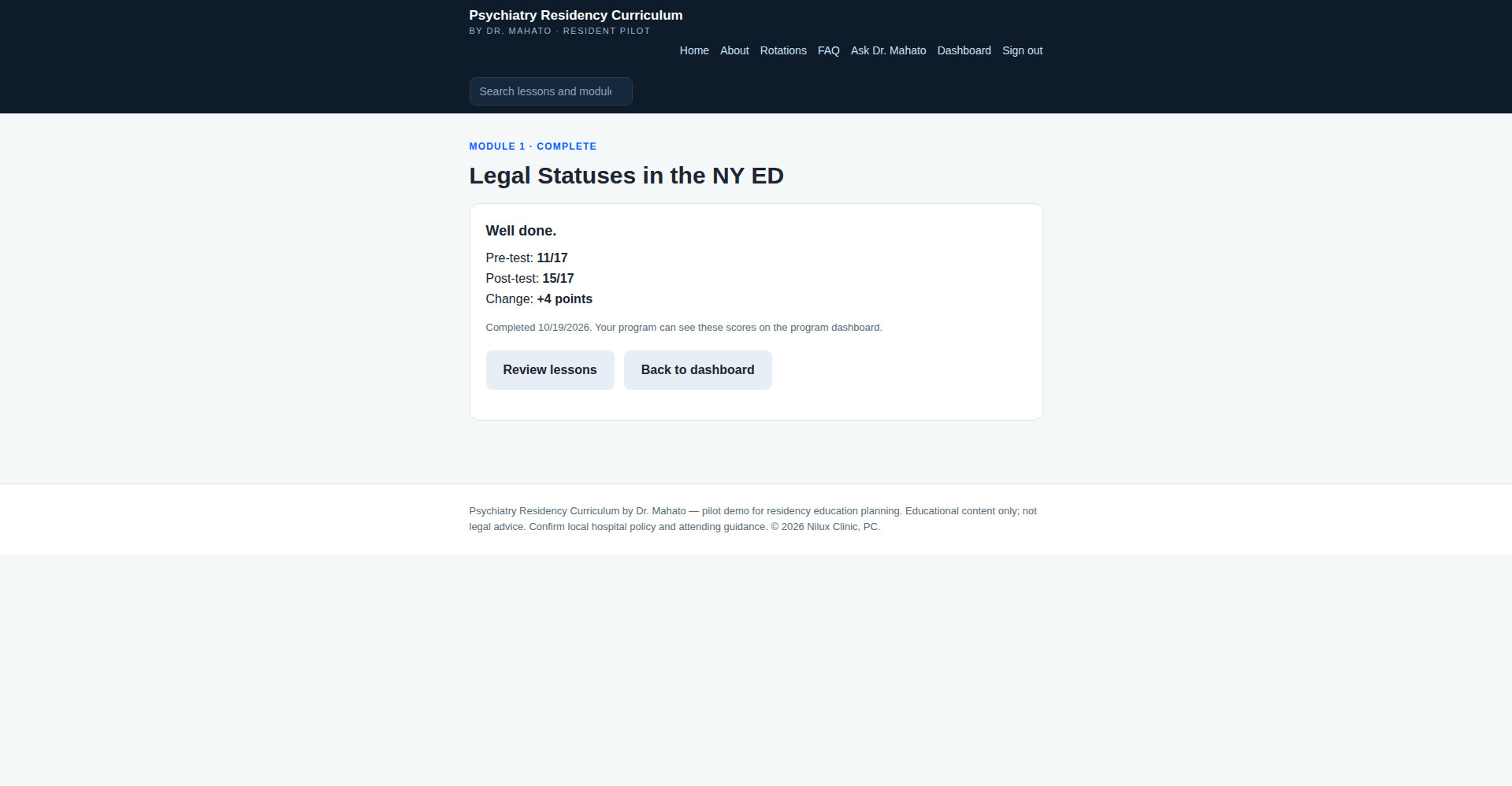
Each resident gets a dashboard with their modules, progress, and scores. A module opens with a pre-test, unfolds lesson by lesson — each lesson starts with a case question, teaches in short sections, and checks understanding as it goes — and closes with a post-test. Progress saves itself; there is nothing to submit and nothing to lose.
2 · Faculty observe and sign off
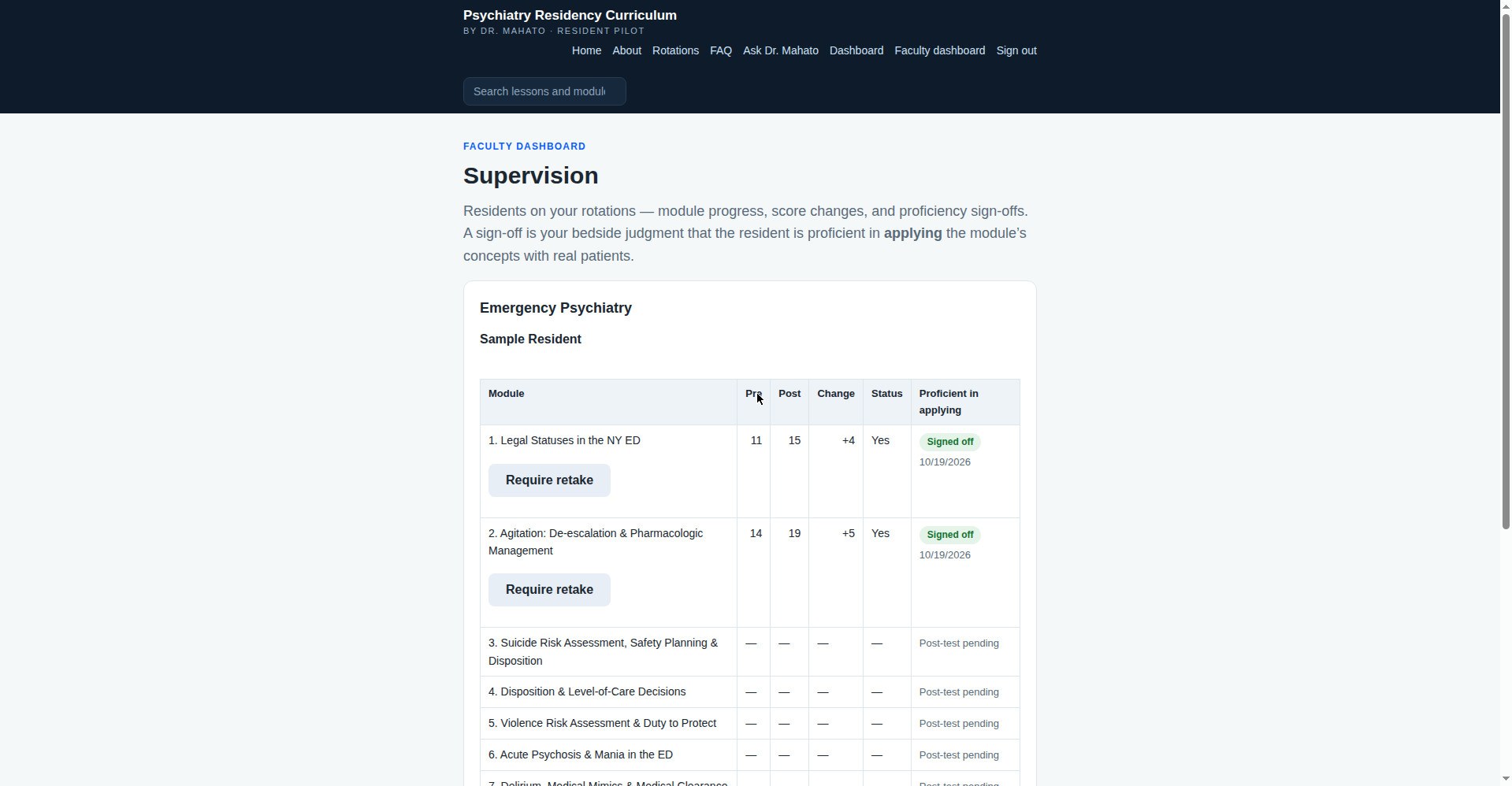
Faculty on the rotation see each resident’s progress and score changes. The proficiency sign-off — the attending’s bedside judgment that the resident can apply the module with real patients — stays locked until the resident finishes the post-test, so the judgment is informed by the score data. What a complete teaching record looks like, narrative included, is on the teaching log example.
3 · The program director sees it all
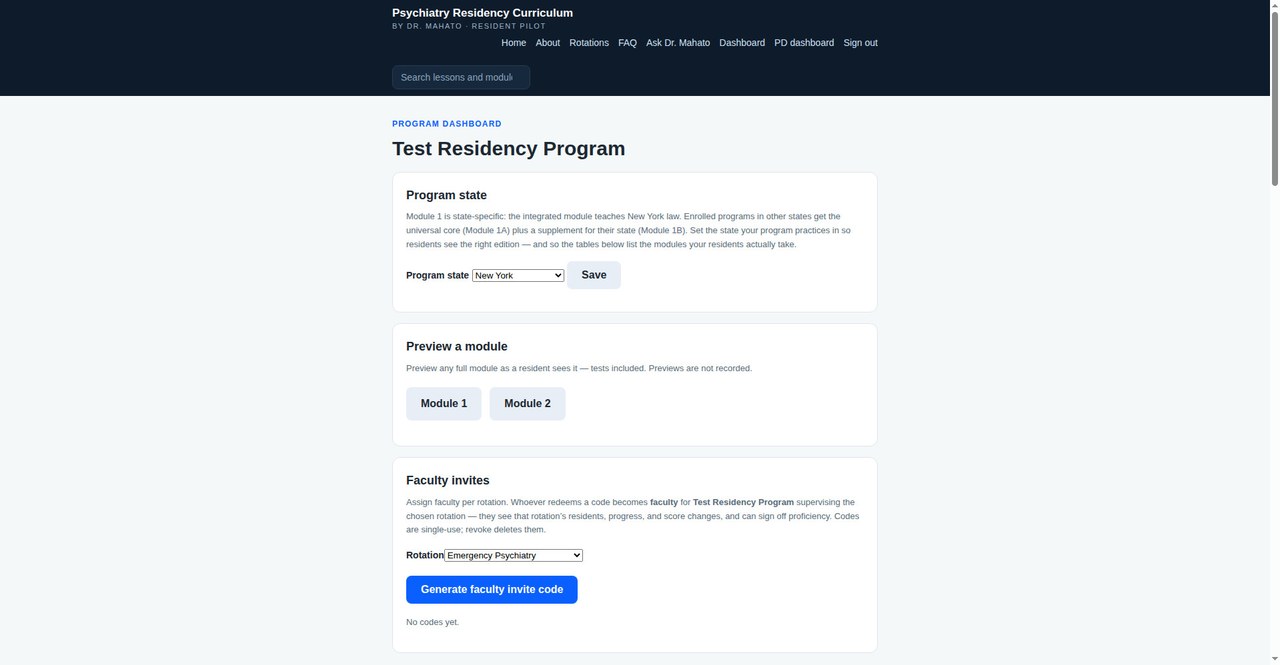
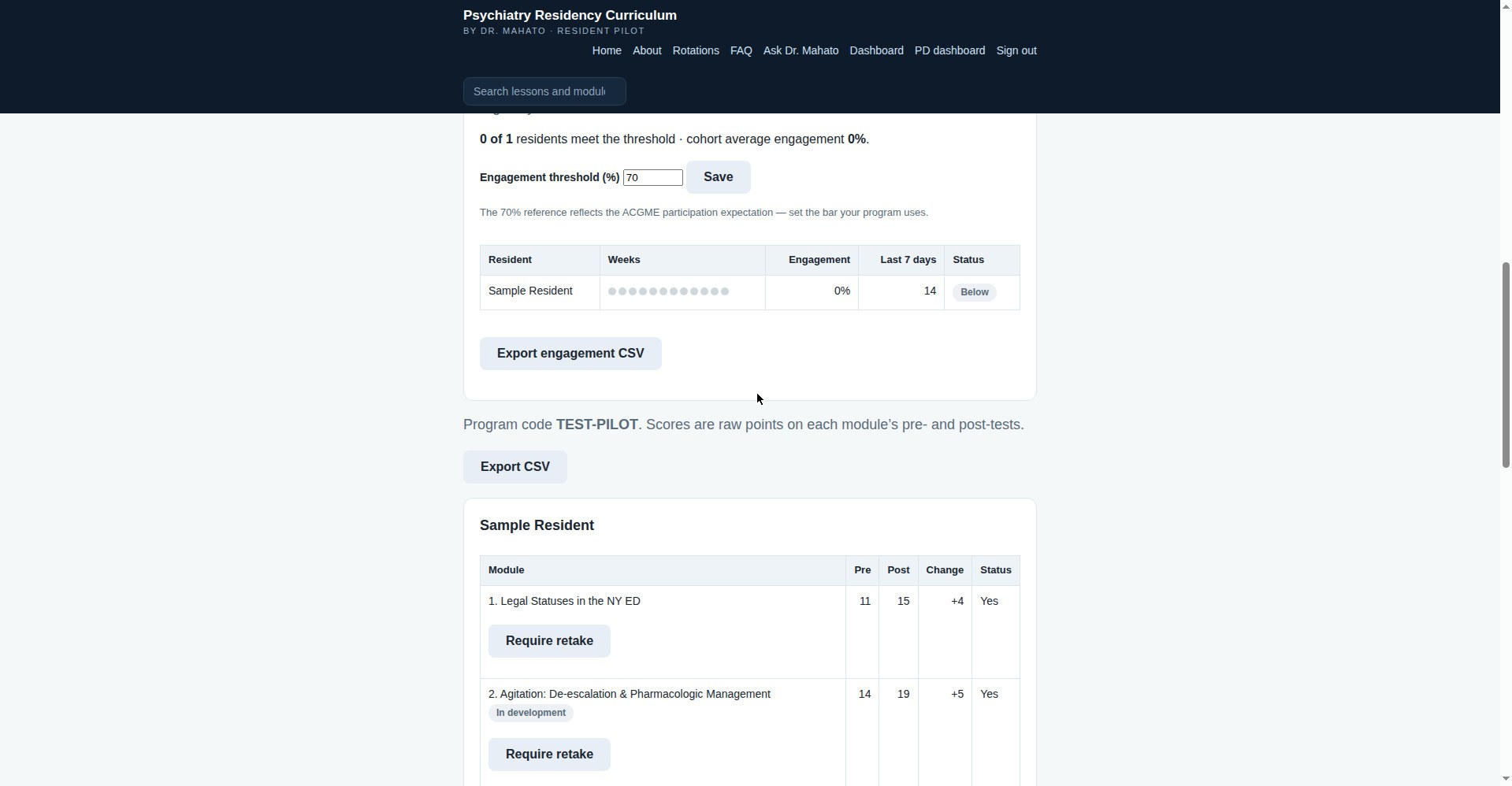
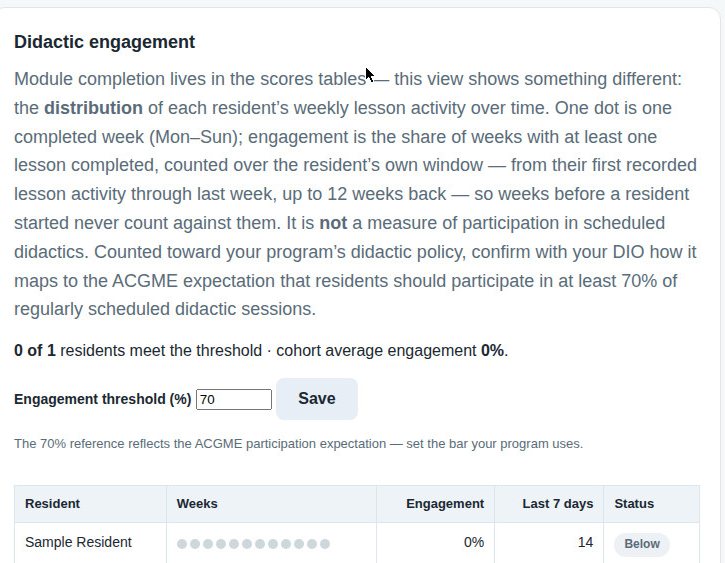
The PD dashboard brings the cohort together: every resident’s scores by module, cohort averages, and a Didactic engagement view that tracks each resident’s weekly lesson heartbeat against a threshold the program sets — plus one-click CSV exports of both scores and engagement for the program’s own files and accreditation documentation.
Questions a program director usually asks next are answered in the FAQ — including how the modules map to ACGME requirements and Psychiatry Milestones (the Module 1 crosswalk).